Wallpaper
Wallpaper related settings.
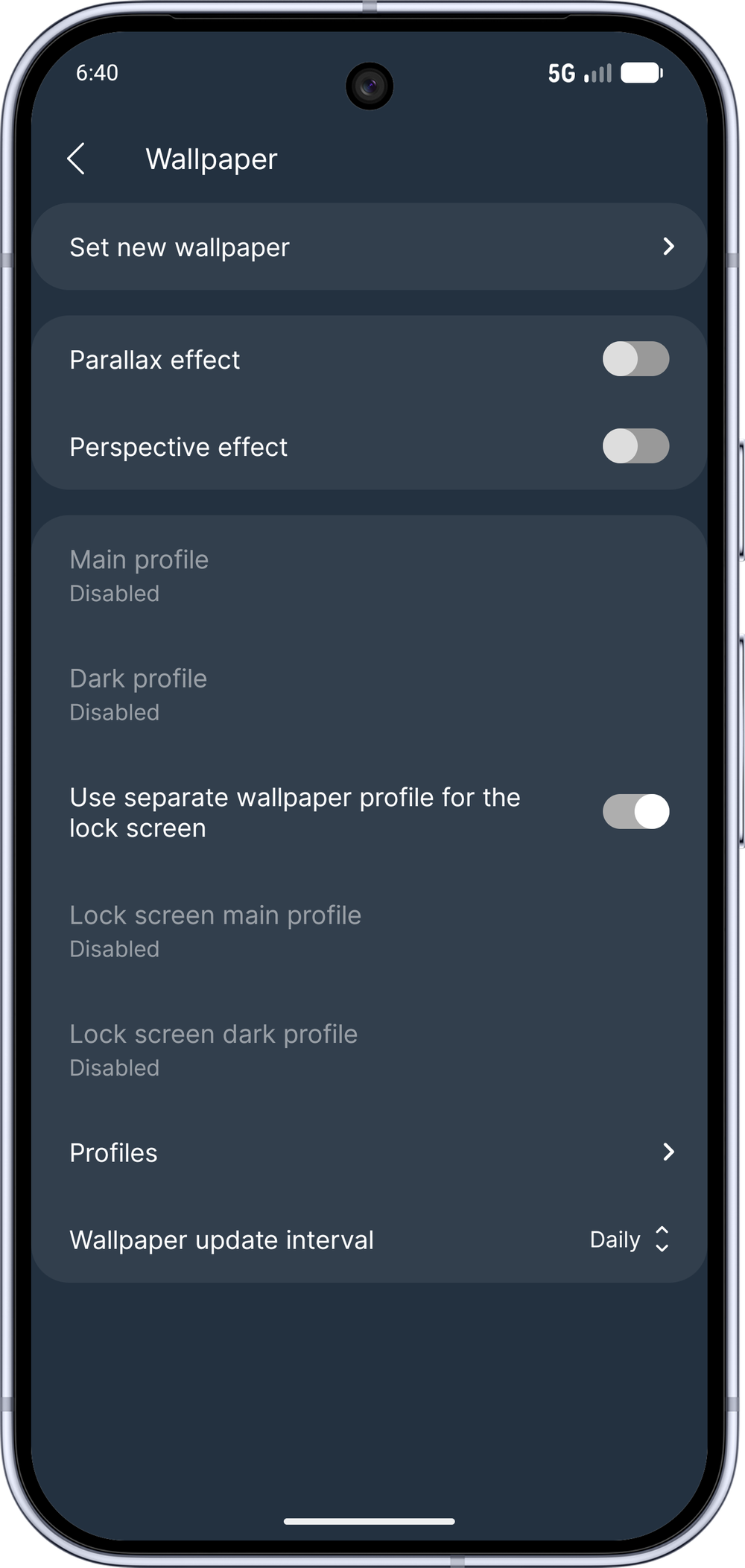
Set new wallpaper
Directs to the wallpaper picker.
Parallax effect
Moves the wallpaper horizontally when you scroll on the main screen between the desktop pages.
Perspective effect
Moves the wallpaper vertically based on how you tilt your phone.
Main profile
The main wallpaper profile, which will determine the next automatically chosen wallpaper.
Dark profile
The wallpaper profile, which will determine the next automatically chosen wallpaper if the app is in the dark GUI mode.
Use separate wallpaper profile for the lock screen
If enabled, the home screen and the lock screen use their own wallpaper profiles independently. If disabled, the profile selected for the home screen is applied to the lock screen as well.
Lock screen main profile
The main wallpaper profile for the lock screen, which will determine the next automatically chosen lock screen wallpaper. Only visible when Use separate wallpaper profile for the lock screen is enabled.
Lock screen dark profile
The lock screen wallpaper profile, which will determine the next automatically chosen lock screen wallpaper if the app is in the dark GUI mode. Only visible when Use separate wallpaper profile for the lock screen is enabled.
Profiles
Create, modify or delete wallpaper profiles
Wallpaper update interval
The time interval of how often the app will choose a new wallpaper from the active profile.