Desktops
Desktop-related settings.
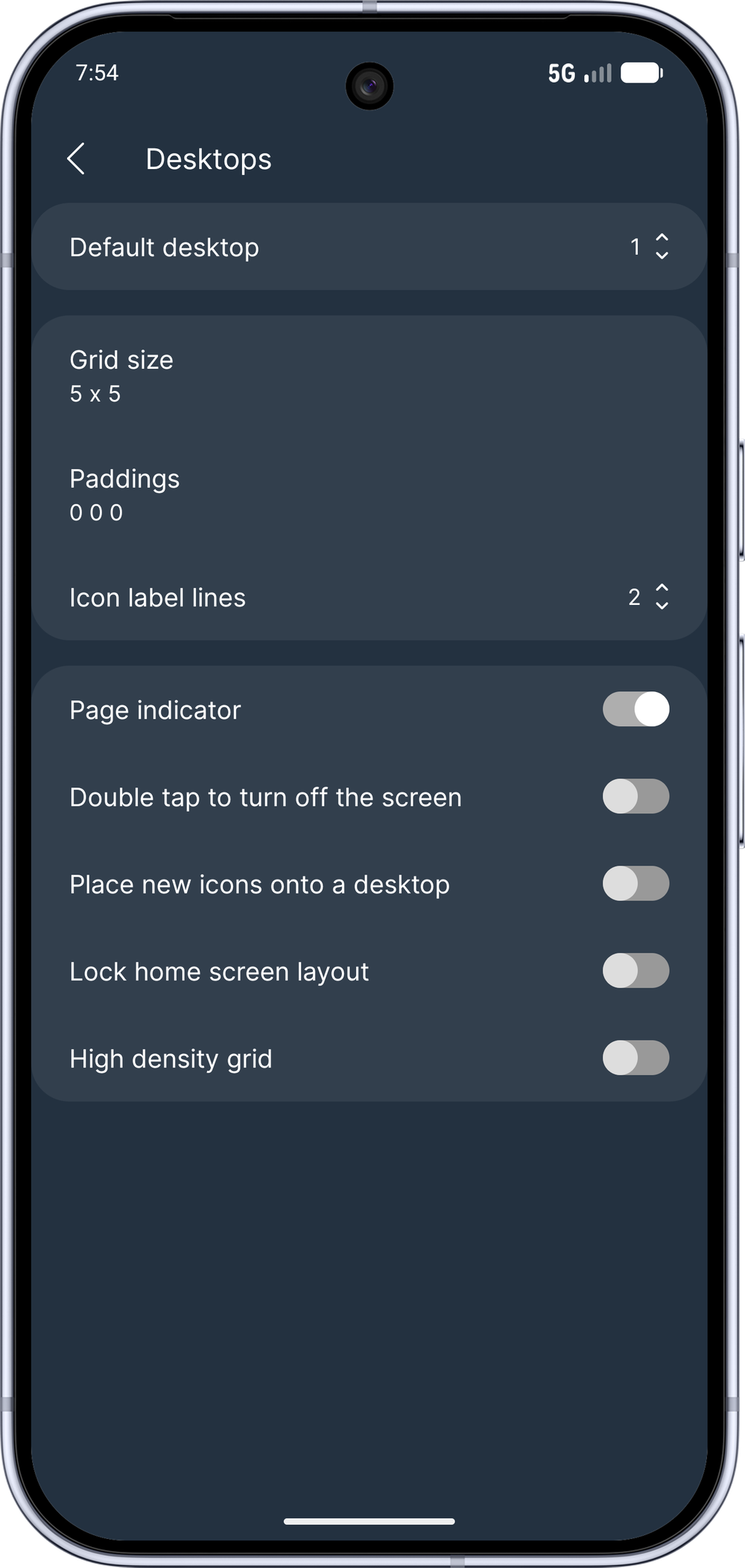
Desktop count
Default desktop
Grid size
Controls the desktop page grid, which determines how many icons can be placed on each page.
Paddings
Controls the top/horizontal/bottom padding of the grid. The unit is DIP.
Icon label lines
Set how many lines icon labels can use on the desktop. Choose No label to hide them completely.
Page indicator
Controls the visibility of the desktop page indicator.
Double tap to turn off the screen
This enables a simple "double tap" gesture on the desktops to turn off the phone's screen.
Place new icons onto a desktop
The app will place newly installed apps onto a desktop page if space is available.
Lock home screen layout
If enabled, icons and widgets cannot be moved or removed from the desktop.
High-density grid
Allows more precise app icon and widget placement, and also more precise widget sizing.
Separate layout for unfolded screen
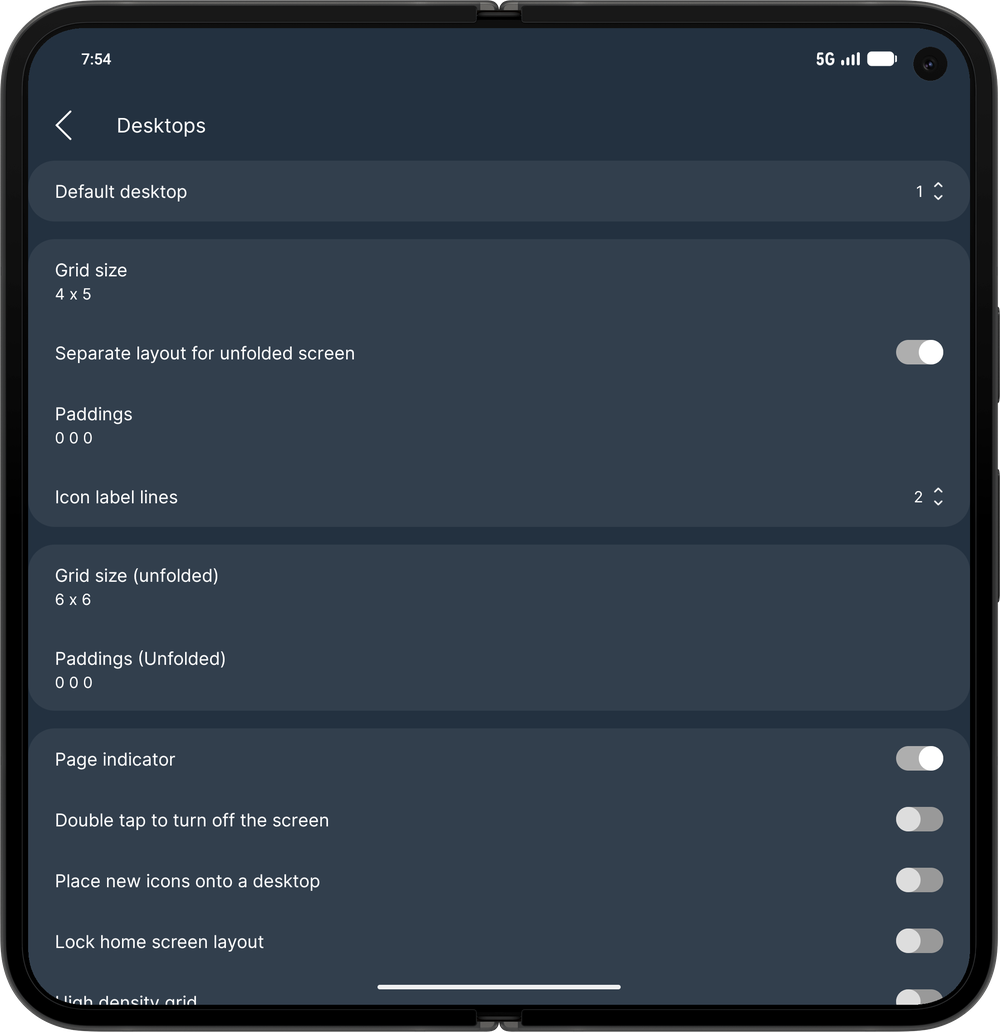
On foldables, use a separate desktop grid, paddings, workspace content and dock layout when the device is unfolded. When enabled, extra Grid size (unfolded) and Paddings (Unfolded) options appear. Only visible on foldable devices.